

What set lists are
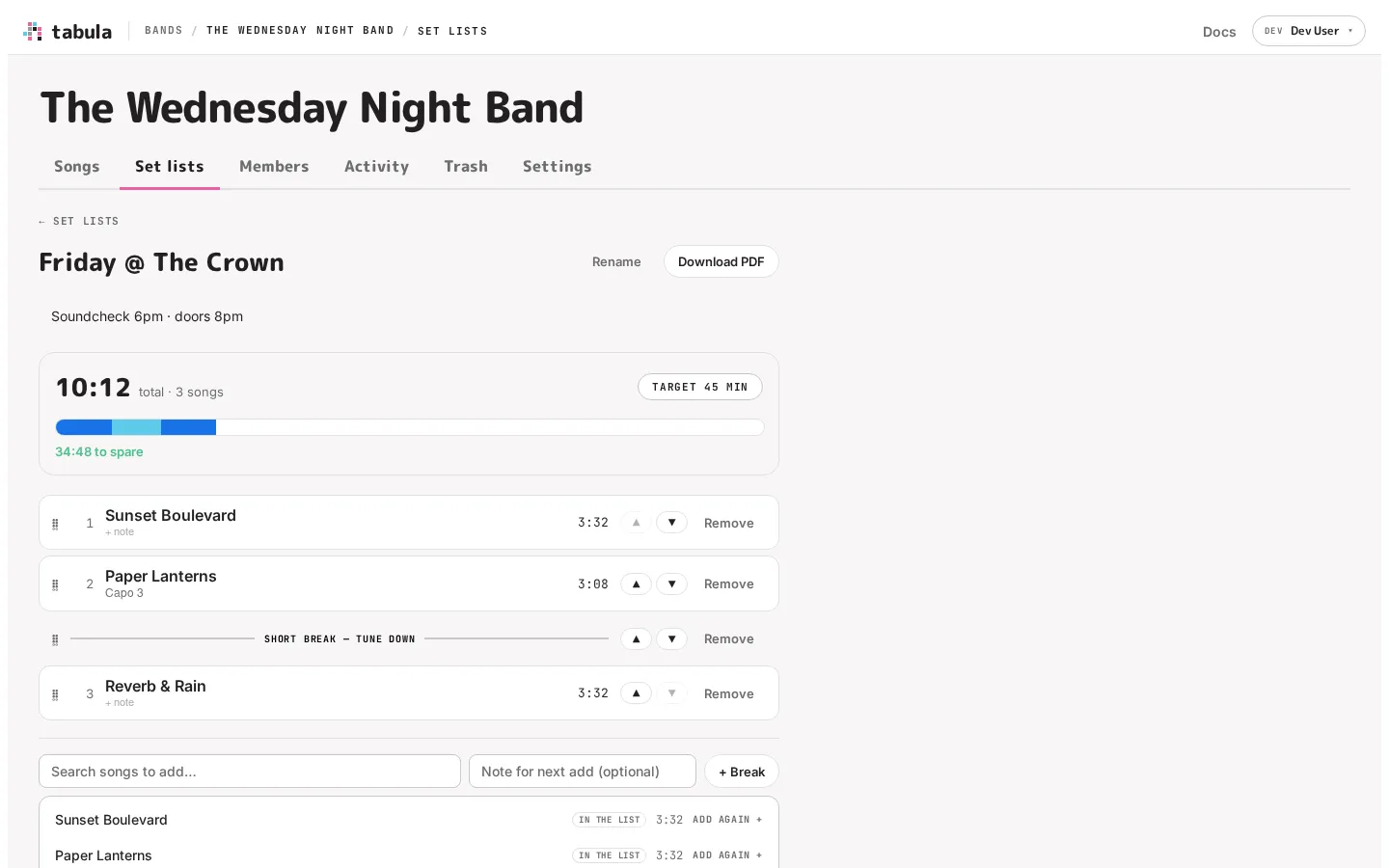
A set list is a running order for a gig or rehearsal: an ordered list of songs (and breaks) drawn from your band’s library, with timings so you can fit the set to your slot. Set lists are separate from folders — a song lives in one folder but can appear in any number of set lists, even more than once in the same one.
Finding set lists
Section titled “Finding set lists”A band’s sections sit in the bar under its name. Click Set lists to see the band’s set lists, one row each: its name, how many songs it has, its running time, its target if you’ve set one, and when it last changed. A set that runs longer than its target is marked over.
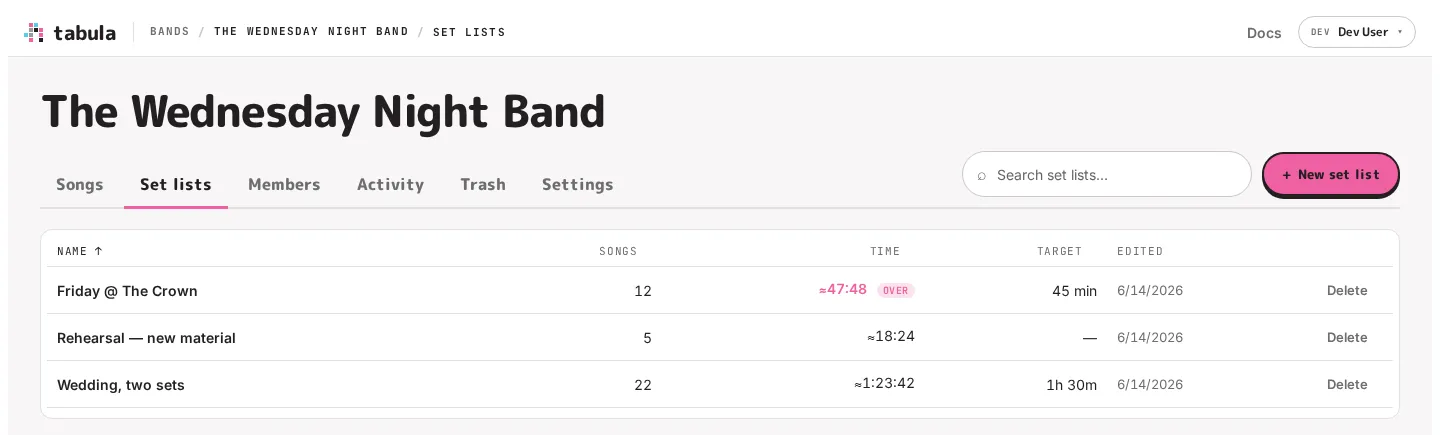
Type in Search set lists to find one by name. Click a column heading to sort by it, and click it again to reverse the order. Set lists start out sorted by name, and whichever order you pick is remembered in this browser, for every band.
Creating a set list
Section titled “Creating a set list”Click + New set list, give it a name (e.g. “Friday @ The Crown”) and click Create. The new set list opens, ready for you to build its running order.
Deleting a set list
Section titled “Deleting a set list”In the Set lists section, click Delete on a set list’s row, then Confirm delete. This removes only the running order — the songs in it stay in your library. Creating, renaming and deleting a set list each show up in the band’s activity feed.