

Real-time collaboration
Tabula’s whole reason for existing is that your band can work on the same song at the same time. Open a song that a bandmate also has open and you’ll see each other live.
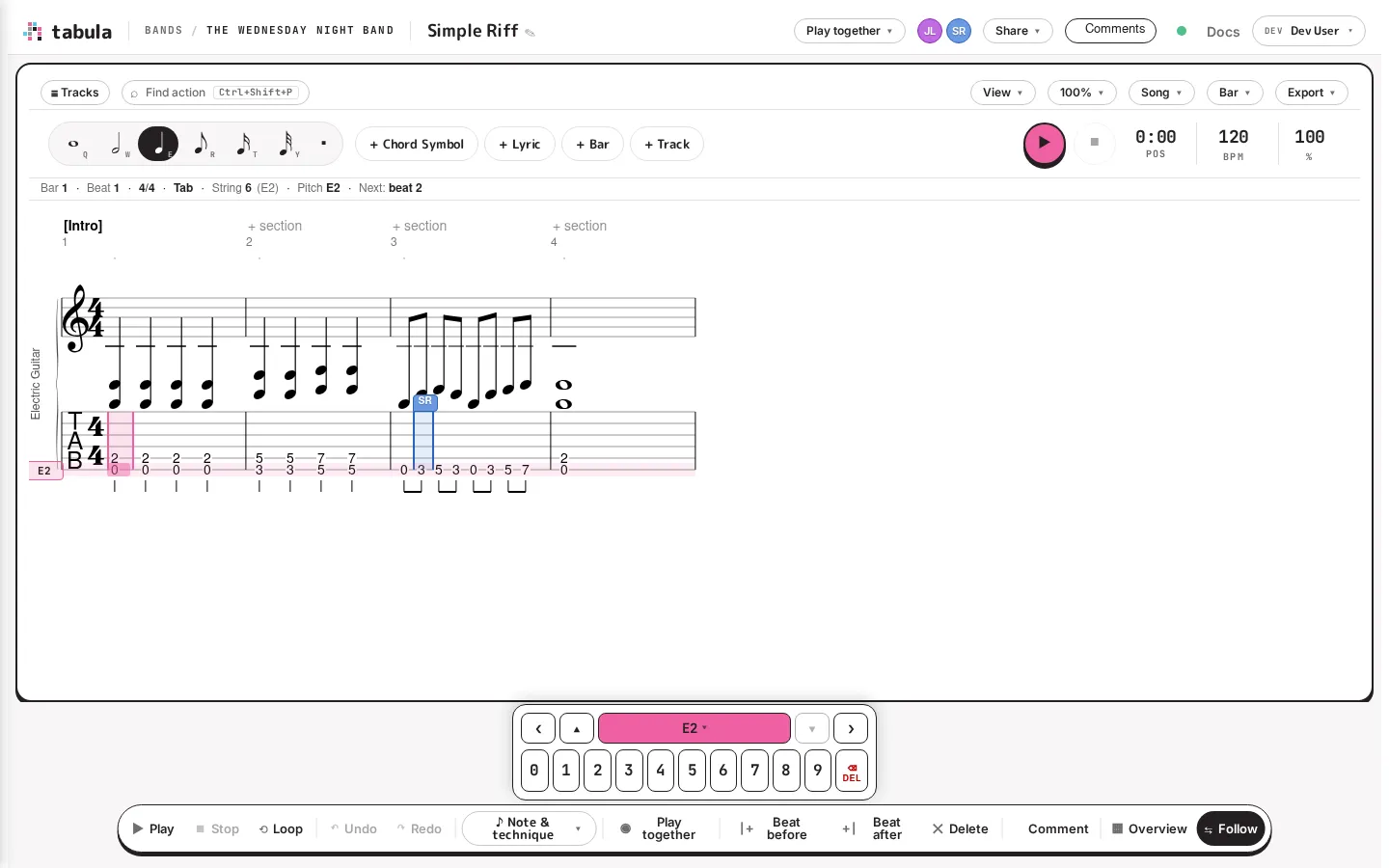
Presence
Section titled “Presence”Everyone currently in a song appears as a colored avatar in the top bar — a profile picture if they have one, otherwise their initials on a color that’s unique and consistent to them (so “the purple one” is always the same person). The avatars update live as people come and go.
Live cursors
Section titled “Live cursors”As your bandmates edit, their cursors appear right on the score, labeled with their initials, so you can see who’s working where. In the screenshot above, one collaborator’s caret is parked on a beat in bar 3. A cursor disappears when that person switches to another tab or window, so you’re never chasing a stale marker.
How edits merge
Section titled “How edits merge”Tabula syncs continuously and is built so that simultaneous edits don’t clobber each other. Two people can work in different parts of the song — or even the same bar — and both sets of changes are kept and merged automatically. There’s no “lock”, no “check out”, and no overwriting someone else’s work by saving. The green connection dot in the top bar confirms your changes are persisted; click it to see when.
Undo operates on your own edits, so undoing won’t reach over and revert a bandmate’s note.
When someone’s offline
Section titled “When someone’s offline”You don’t all have to be online together. Because the song is stored centrally, anyone can pick it up later, and their view reflects everything that’s happened since they were last in. If your connection drops, Tabula reconnects and catches you up.
Talking while you work
Section titled “Talking while you work”Live cursors tell you where someone is; for why, use comments to pin a note to a specific beat or section, or start playing together so everyone who joins hears the same passage at the same instant.