

Plans and seats
Tabula is free to use for writing and reviewing music. Editor seats are the one thing that’s metered — they’re how Tabula keeps larger collaborating groups sustainable. This page explains the model and where to manage it.
What a seat is
Section titled “What a seat is”A seat is consumed by each editor in your bands who isn’t a subscriber themselves. In plain terms:
- Viewers never use a seat — reading and commenting is always free.
- Editors (and the edit-capable roles above them) draw on a seat when they’re working in a band whose owner is footing the bill.
- A collaborator who has their own subscription brings their own entitlement and doesn’t draw on anyone’s pool.
The pool belongs to the band owner and is global across every band they own — so if you own two bands, their editors share one seat pool. That’s the pool the Members tab refers to with “Editors here draw on the band owner’s seat pool.”
The tiers
Section titled “The tiers”| Plan | Editor seats |
|---|---|
| Free | Solo editing — no editor-seat pool |
| Power | A pool of editor seats |
| Studio | A larger pool |
| Unlimited | No seat limit at all |
Power and Studio are the self-serve paid plans, and either can carry extra seats bought on top of the pool. Unlimited isn’t sold — it’s granted, so you’ll only see it if we’ve set your account up that way.
When you hit the limit
Section titled “When you hit the limit”If inviting or promoting an editor would take you past your seat allotment, Tabula stops the change and shows a “Seat limit reached” notice with your current usage, linking here. To make room you can:
- free a seat — remove an editor, or change them to a viewer, or
- add more seats to your pool.
On the Free plan there’s no pool to be full — the notice says the owner is on the free plan, which has no editor seats, and offers the two real moves: invite the person as a viewer, or upgrade. The Plan & seats page for a free account lays out Free next to Power so you can see what the upgrade buys.
Nothing is lost when a change is blocked this way — existing work and members are untouched; you just can’t add another editor until there’s room.
When the pool shrinks under you
Section titled “When the pool shrinks under you”Being blocked from adding an editor is not the same as your pool getting smaller. If your allotment drops below what you’re already using — you downgrade, you cancel, you remove add-on seats, or a band is transferred to you and its editors don’t fit — Tabula brings you back within quota by changing the newest editors to viewers until you fit.
What that means in practice:
- Nothing is deleted. Demoted people keep their access to the band and everything they wrote stays put — they can still read and comment, they just can’t edit until there’s a seat again.
- Newest first. The most recently added editors go first, so long-standing collaborators are the last to be affected.
- It’s pool-wide, not band-wide. Your seats pool across every band you own, so a change in one band can free its seat by demoting an editor in another one of yours.
- Owners and subscribers are exempt. A band’s owner is never touched, and a collaborator with their own subscription doesn’t draw on your pool — so neither is ever a candidate.
- It’s on the record. Each change appears in that band’s activity feed, so nobody is left wondering why their role moved.
Restoring a seat — upgrading, or buying seats back — doesn’t automatically re-promote anyone; set the roles back yourself in the band’s Members.
Managing your plan
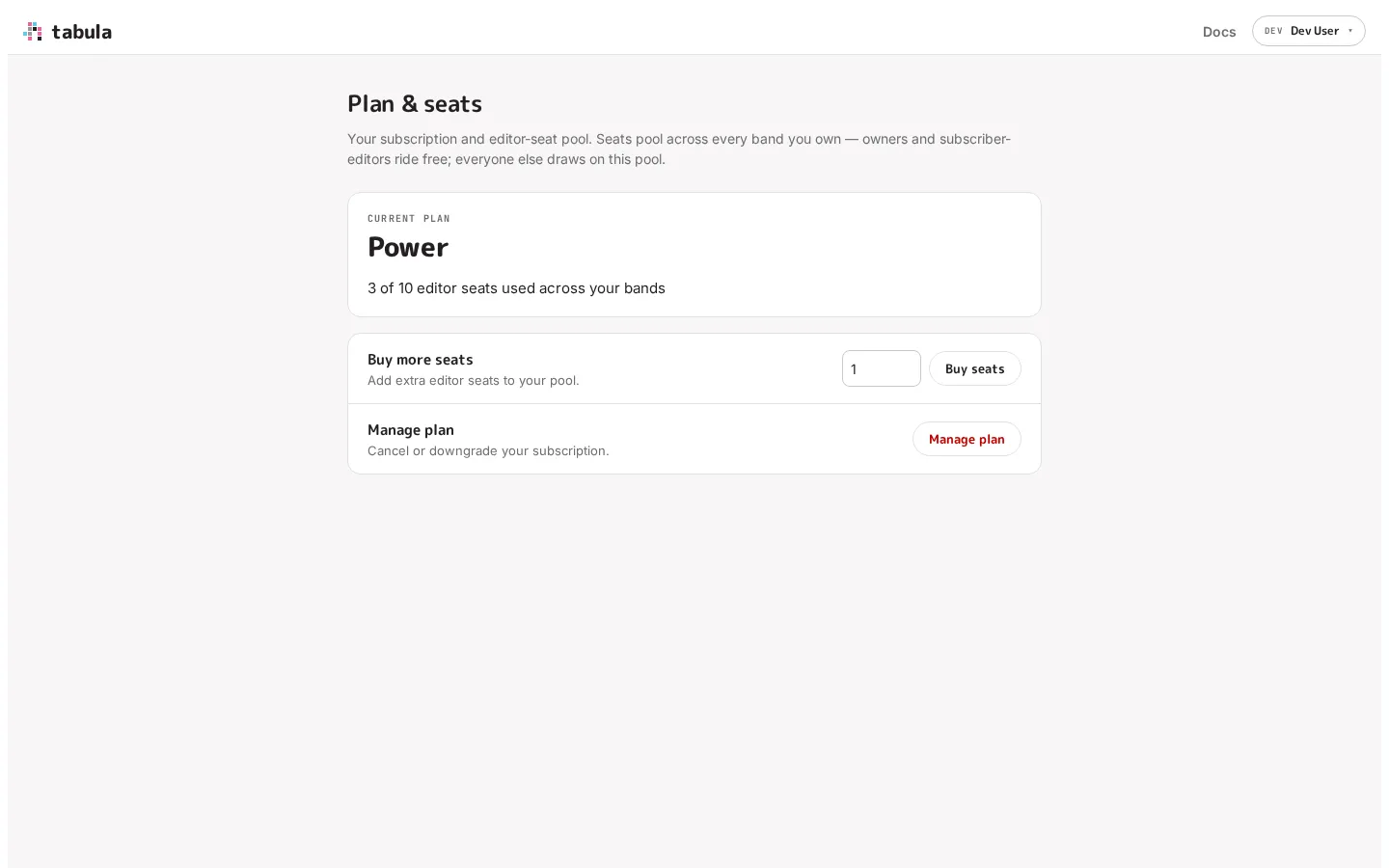
Section titled “Managing your plan”Open Plan & seats from your account menu (top-right), or follow the link from the band’s Members when you hit the seat limit. The page shows your current plan and how many seats you’re using across your bands. On Free it shows a side-by-side of what Free and Power include instead of a seat count, since there’s no pool yet. From here you can:
- Upgrade from Free to a paid plan.
- Buy more seats — add extra editor seats to your pool. You’re shown the recurring per-seat cost and asked to confirm before anything is charged.
- Remove seats — the inverse of buying. If you bought extra seats you no longer need, drop them and the pool shrinks. Tabula tells you what the removal will leave you with before you confirm.
- Manage plan — cancel or downgrade, and update your card, through Stripe’s customer portal.
Once you have add-on seats, the usage line breaks the pool down for you — for example “10 included with Power + 8 purchased seats” — so it’s clear which part came with the plan and which you’re paying extra for.
Payments and billing
Section titled “Payments and billing”Purchases go through Stripe, which is the seller of record for Tabula subscriptions — so Stripe handles the payment, the receipt, and any tax that applies, and Stripe is who appears on your statement. Card details never touch Tabula’s servers.
If a renewal payment fails, your subscription goes past due rather than being cut off. Tabula surfaces that on this page with a nudge to update your payment method in the portal; Stripe retries in the meantime, and your bands keep working while it does.