

Deleting your account
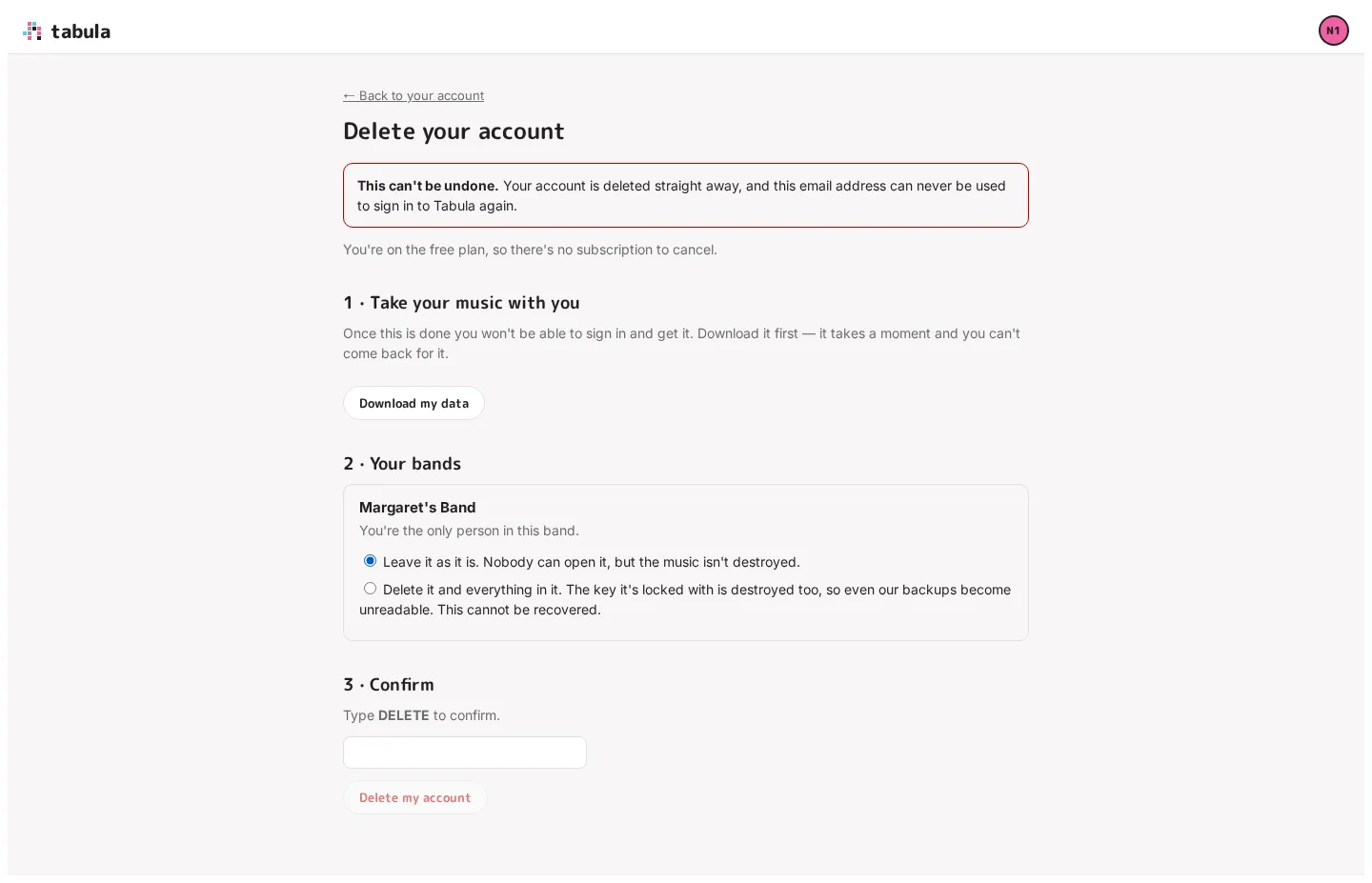
You can delete your account yourself, from the link at the bottom of Your account (Delete your account). It can’t be undone: the account is deleted straight away, and its email address can never be used to sign in to Tabula again.
Before the page will let you in
Section titled “Before the page will let you in”Because it can’t be undone, Tabula checks it’s really you — not someone using your computer, or a stolen browser session. If you signed in more than about ten minutes ago, the page asks you to Sign out and sign in again first, and brings you back here once you’re in.
What happens to a subscription
Section titled “What happens to a subscription”The page says which of these applies before you get to the button:
- A paid plan ends immediately. You won’t be charged again. The rest of the period you’ve already paid for isn’t refunded, and billing and tax records are kept for 7 years because the law requires it.
- A complimentary plan ends with the account. There’s nothing to cancel.
- The free plan has nothing to cancel.
If Tabula can’t end a paid subscription at that moment, it won’t delete the account either — so you’re never left paying for an account you can’t sign in to. Try again shortly, or cancel the plan from Plan & seats first.
1 · Take your music with you
Section titled “1 · Take your music with you”Once the account is gone you can’t sign in to fetch anything, so the page offers Download my data first — the same file as on Your account: your account details, your bands, and every song you can reach, in Tabula’s format and as MusicXML.
2 · Your bands
Section titled “2 · Your bands”Every band you own needs a decision, and the page lists them:
- A band with other people in it has to go to one of them — their work is in it too. Pick a successor from the list; they become the owner. Their seat pool takes over the band’s editors, so if their plan doesn’t cover everyone, the newest editors drop to view-only. That doesn’t undo itself; the new owner can put them back.
- A band only you are in is yours to decide: leave it as it is (nobody can open it, but the music isn’t destroyed) or delete it and everything in it. Deleting destroys the key the band’s content is locked with, so even backup copies become unreadable. This cannot be recovered.
Bands you’re a member of but don’t own aren’t affected — your contributions stay in them for your bandmates, with your name scrubbed from them. You can also hand a band over ahead of time with Transfer ownership, or delete it from its Danger zone.
3 · Confirm
Section titled “3 · Confirm”Type DELETE and click Delete my account. Tabula signs you out and the sign-in page tells you the account is being deleted; it can take a moment, and the address won’t be able to sign in again.
What Tabula keeps afterwards, and for how long, is set out in the Privacy Policy — briefly: the record that you asked to be deleted, billing records where the law requires them, and a do-not-send marker if we ever had to stop emailing you.