

Timings and the target
Each song contributes its length to a running total, shown at the top of the set list alongside the song count. Set a target (your slot length, in minutes) and Tabula shows a burn-down bar and how much time you have to spare — or how far over you are — so you can trim the set to fit. Click the target to change it, or Clear it to go back to a plain total.
When the set runs long, the bar spills past the target marker, and a line in the running order shows exactly where you cross it: every slot below that line is past your slot length. In the band’s Set lists section, the set’s row is marked over too.
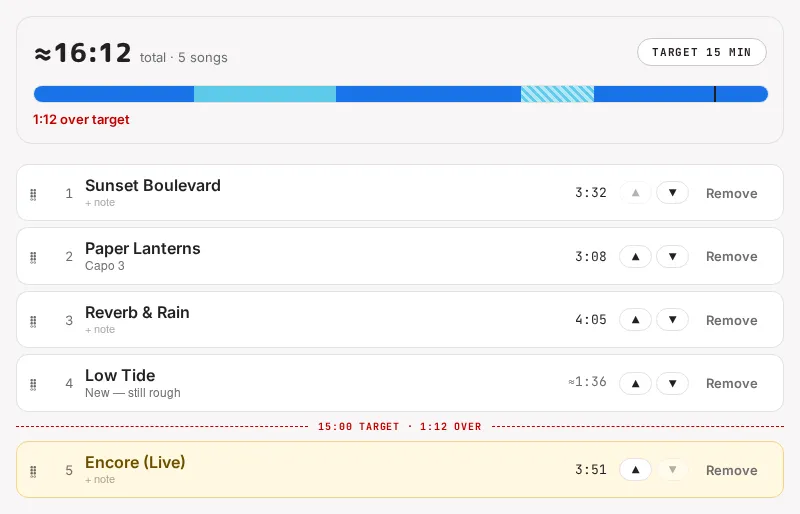
A song’s length is exact once it’s been opened and played in the editor; until then Tabula shows an estimate from its tempo and length (marked with ≈). If any song in the set is estimated, the total is marked ≈ too.