

Inviting and managing members
Bringing people into a band, and keeping the member list tidy, happens in the band’s Members, in the bar under its name. You need to be an owner or admin to manage members; viewers and editors see the list read-only.
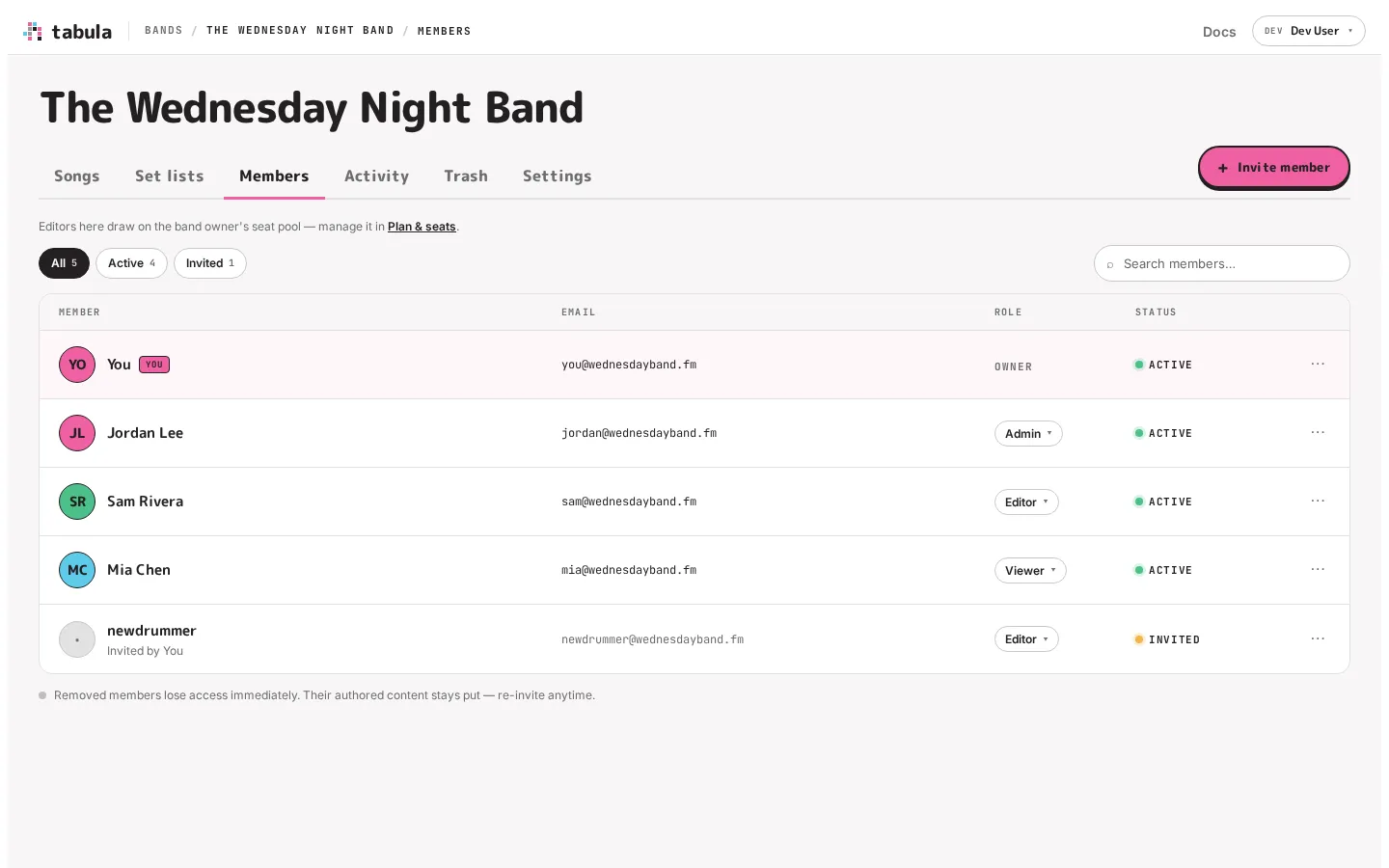
The Members tab
Section titled “The Members tab”The Members tab lists everyone in the band — both active members and pending invites — in one place. You can filter by All / Active / Invited, search by name or email, and see each person’s role and status at a glance. Pending invitees show who invited them.
Inviting someone
Section titled “Inviting someone”Click + Invite member, enter their email address, and choose the role they’ll have. The form starts on Viewer, and each option says what it does and what it costs:
- Viewer — reads and comments, free
- Editor — edits songs, uses one of the owner’s seats
- Admin — edits and manages members, uses a seat
Click Send invite. Tabula creates the invite and emails them a link; if the email couldn’t be sent, it says so — “We couldn’t email it” — and shows the link so you can copy it and share it yourself. Inviting an address that already has a pending invite doesn’t make a second one: the banner says the existing invitation was refreshed, same link.
Two invites Tabula refuses outright, with the reason: the address you’re signed in with, and anyone who’s already a member of the band.
A few rules keep invites sane:
- There’s at most one pending invite per email in a band. Inviting the same address again just refreshes the existing invite rather than creating duplicates.
- Invites expire after 7 days if unaccepted — re-invite to send a fresh one.
- A band can have 10 pending invites at once, and any one person can have 50 pending across all their bands. Accepting an invite frees its slot immediately, and an invite that expires unaccepted stops counting. Cancelling one holds its slot for an hour, though — so cancel-and-reinvite isn’t a way around the cap. If you’re bringing in a big group, invite in batches.
- Resending is limited to once every 5 minutes per invite. Tabula still updates the invite; it just won’t send another email until the cooldown passes.
Inviting someone as an editor or admin draws on the band owner’s seat pool. If the pool is full, Tabula will say so — “Seat limit reached — 8 of 10 seats used” — and point you to Plan & seats; invite them as a viewer (always free) or free up a seat in the meantime. If the owner is on the Free plan there’s no pool at all, and the notice says so: invite them as a viewer, or the owner can upgrade.
Accepting an invite
Section titled “Accepting an invite”The invitee opens the invite link. If they aren’t signed in yet, the sign-in page says what the link is for — “You’re invited to (band). Sign in with (address) to accept — you’ll join as (role)” — with the invited address already filled in. Once they sign in they land straight back on the invite, and accepting adds them to the band with the role you chose. Someone arriving this way joins your band rather than getting a personal band of their own.
The same page tells them plainly if the link is no longer good — the invitation was cancelled, has expired, or was already used — instead of letting them sign in first and find out after.
If they’re already signed in as a different address than the one you invited, the page says which address the invitation was sent to and offers Sign out and use (address), which brings them back to the same invite as the right person.
Do they need an account first?
Section titled “Do they need an account first?”No. Anyone can sign up, and signing in for the first time is what creates the account — so an invite link is all a new collaborator needs. They open it, sign in with the address you invited, and they’re in the band. An invite says “join this band”; the account comes into being on the way.
Changing roles and removing people
Section titled “Changing roles and removing people”From each member’s row (owners/admins):
- Change a role with the role dropdown — promote a member to admin, or step someone down to editor or viewer.
- Remove a member from the overflow (⋯) menu. They lose access immediately, but anything they wrote stays in the song — you can re-invite them later.
- Change a pending invite’s role with the same dropdown, before they accept. They aren’t emailed again: their link still works, it expires when it would have, and they join with the new role.
- Resend or cancel a pending invite from its row.
- Leave the band yourself from your own row.
Tabula won’t let you remove or demote the last admin — a band always needs someone who can manage it.
Transferring ownership
Section titled “Transferring ownership”A band has exactly one owner. To hand it off, an owner uses Transfer ownership from a member’s ⋯ menu and picks any active member of the band. The previous owner becomes an admin and the new person becomes owner.
Because the owner is the one whose seat pool the band’s editors draw on, transferring a band moves it onto the new owner’s pool. Tabula warns you when the person you’ve picked doesn’t have a pool of their own — but it won’t stop you; any active member can receive a band.
Be aware of what happens if the band’s editors don’t fit in the new owner’s pool: the seats are reconciled as part of the transfer, and the newest editors are changed to viewers until the pool fits. Nothing is deleted and nobody loses access to the band, but roles can move — and because seats pool across every band the new owner has, the demotion can land on an editor in one of their other bands rather than in the one you just handed over. Each change is recorded in that band’s activity feed. See when the pool shrinks for the full rules.