

The activity feed
Every band keeps an activity feed — a running, newest-first record of what’s happened in it. Find it in the band’s Activity, in the bar under its name.
What it shows
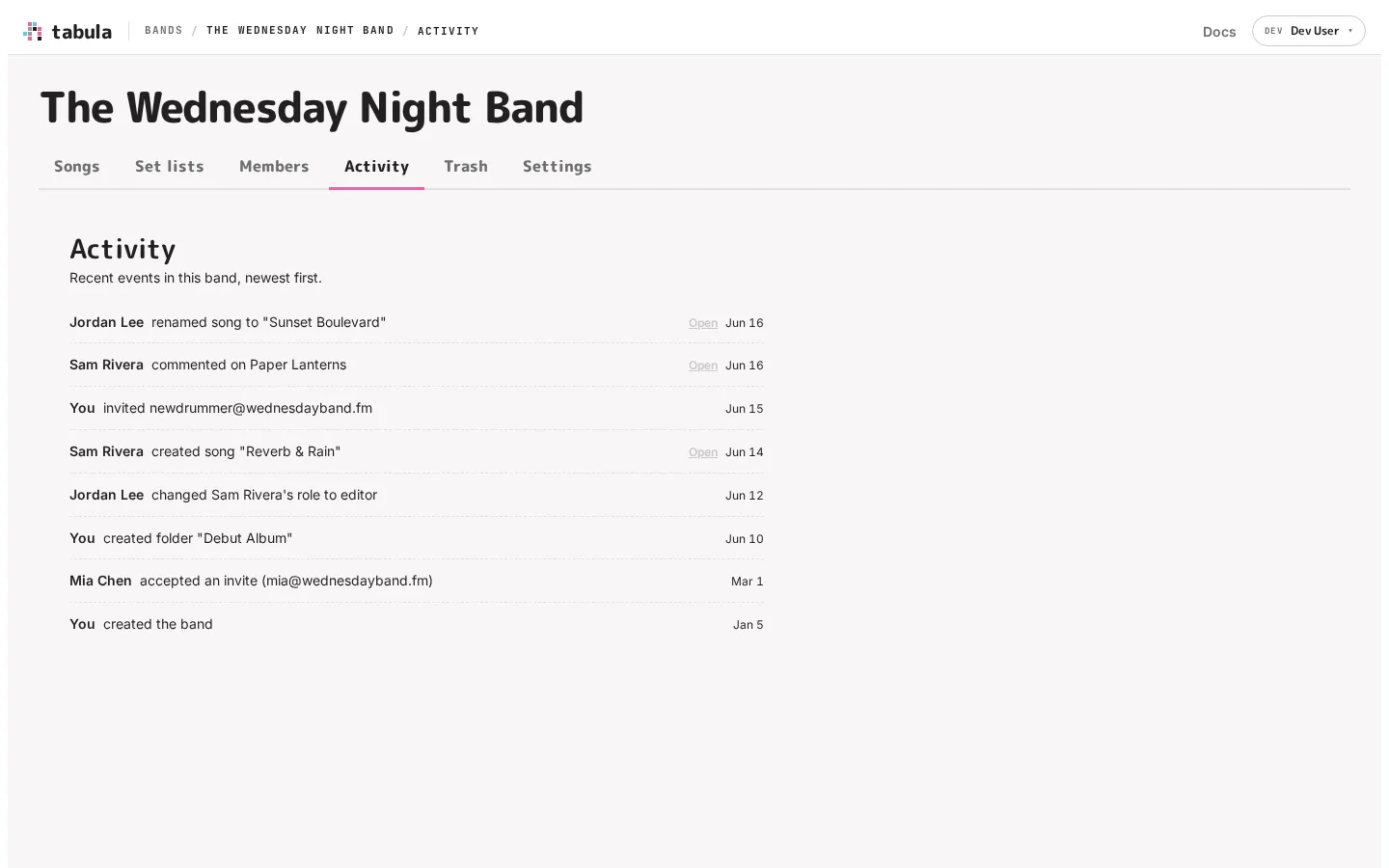
Section titled “What it shows”The feed turns each event into a plain sentence — “Jordan Lee renamed song to ‘Sunset Boulevard’” — with who did it and a relative timestamp (6 hours ago, yesterday, Mar 1). It covers the meaningful changes across the band, including:
- Songs — created, imported, renamed, moved between folders, deleted, and restored.
- Takes — a take branched off a song, and a take merged back into it.
- Folders — created, renamed, moved, and deleted.
- Set lists — created, renamed, and deleted.
- Members and invites — invited, accepted, resent, revoked, role changed, removed, left, and ownership transferred.
- Seats — when an editor is moved to viewer because the owner’s seat pool no longer covers them.
- Comments — new comment threads opened, and threads resolved.
- The band itself — created, renamed, logo changed or removed.
- AI assistants — when a member connects one to their account, and when they disconnect it. See below.
Song events include an Open link that jumps straight to the song (shown as deleted if it’s since been removed). The feed is paginated, so you can scroll back through the band’s history.
When someone connects an assistant
Section titled “When someone connects an assistant”Connecting an AI assistant is an account-level thing, not a band-level one: the assistant acts as that member everywhere, in every band they’re in. So the feed of each of those bands gets an entry, and it says what the access actually is — “Jordan Lee connected an AI assistant (abc-123) that can read and edit this band”.
This is deliberate. You can’t see another member’s account settings, so without this entry there’d be no way to know that software you didn’t approve can read and change the band’s music. Disconnecting is recorded the same way.
The entry names the assistant’s client ID rather than its name. Any client can register itself and pick its own display name, so a name here could be a convincing imitation of one you trust. The ID is different: Tabula assigns it, the client doesn’t choose it. It’s the same ID the member who connected it sees under Connected applications.
Names are frozen
Section titled “Names are frozen”Each entry records the names as they were when it happened. If a song was called “Demo 1” when it was renamed and is later renamed again, the old entry still reads correctly — Tabula doesn’t rewrite history when things are renamed or deleted.
Who can see it
Section titled “Who can see it”Any member of the band can read the activity feed. It’s a shared record of the band’s work, not a private admin log — though only owners and admins can take the management actions (like inviting or removing members) that some of the entries describe.