

Set lists
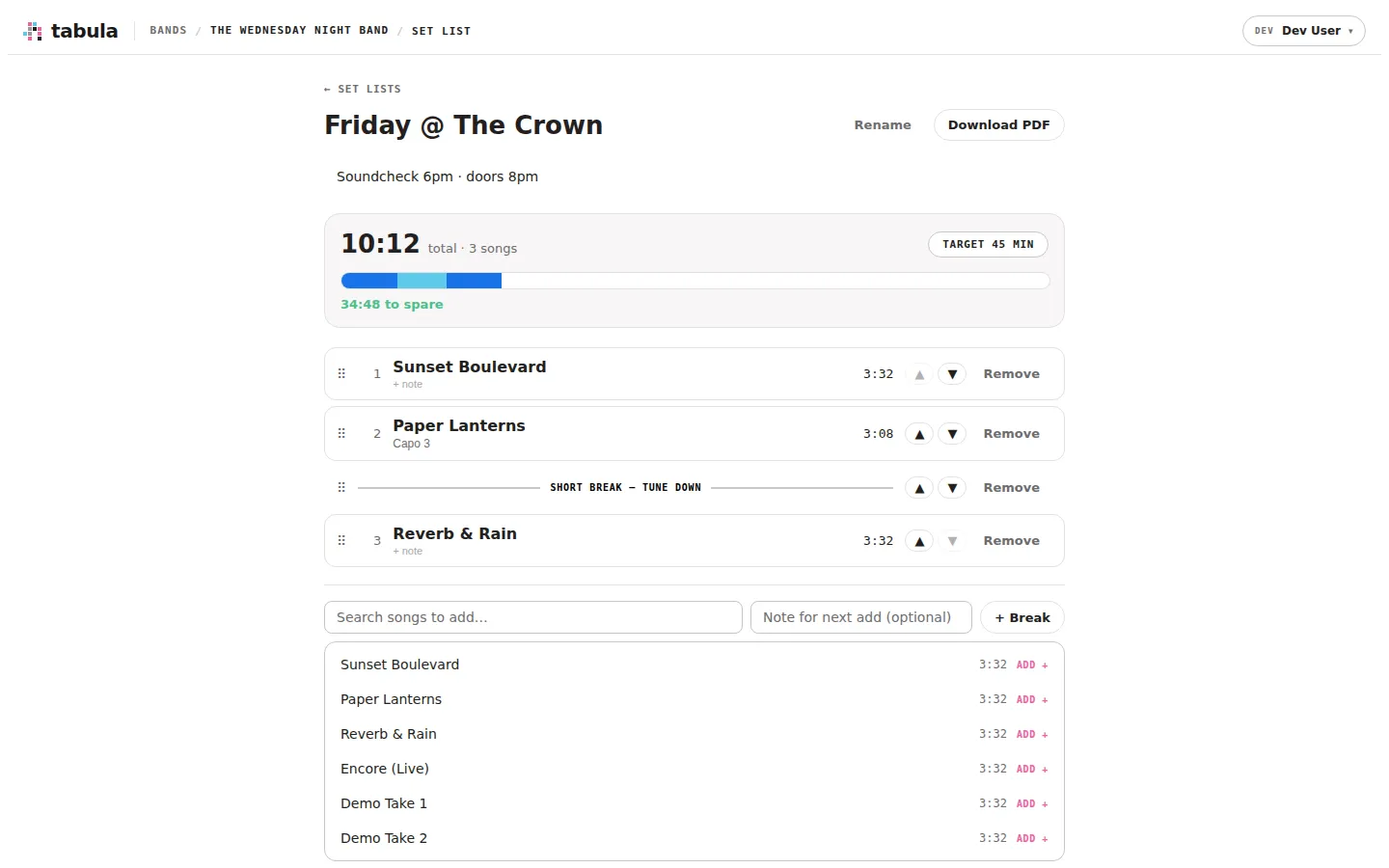
A set list is a running order for a gig or rehearsal: an ordered list of songs (and breaks) drawn from your band’s library, with timings so you can fit the set to your slot. Set lists are separate from folders — a song lives in one folder but can appear in any number of set lists, even more than once in the same one.
Finding set lists
Section titled “Finding set lists”From the band’s song library, click Set lists in the header. That opens the band’s set lists, where you can create a new one or open an existing one.
Creating a set list
Section titled “Creating a set list”On the set lists page, type a name (e.g. “Friday @ The Crown”) and click New set list. Open it to start building the running order.
Building the running order
Section titled “Building the running order”On a set list you can:
- Add songs — search your band’s library and click a song to append it. You can attach a note as you add (e.g. “Capo 3”).
- Add breaks — insert a stop in the set (e.g. “Short break — tune down”, “intermission”) with the + Break button.
- Reorder — drag a slot to move it, or use the ▲ / ▼ buttons. The numbers renumber automatically.
- Edit slot notes — click a slot’s note to change it (per-song reminders like tuning or capo).
- Remove — drop any slot with Remove. The same song can appear in multiple slots; each is independent.
- Rename the set list or edit its description (venue notes, “soundcheck at 6”).
Timings and the target
Section titled “Timings and the target”Each song contributes its length to a running total, shown at the top alongside the song count. Set a target (your slot length, in minutes) and Tabula shows a burn-down bar and how much time you have to spare — or how far over you are — so you can trim the set to fit.
A song’s length is exact once it’s been opened and played in the editor; until then Tabula shows an estimate (marked with ≈).
Printing
Section titled “Printing”Click Download PDF for a clean, printable running order — handy to tape to the stage floor or hand round at rehearsal.